How to Build an Interactive FAQ System with HTML, CSS and JavaScript
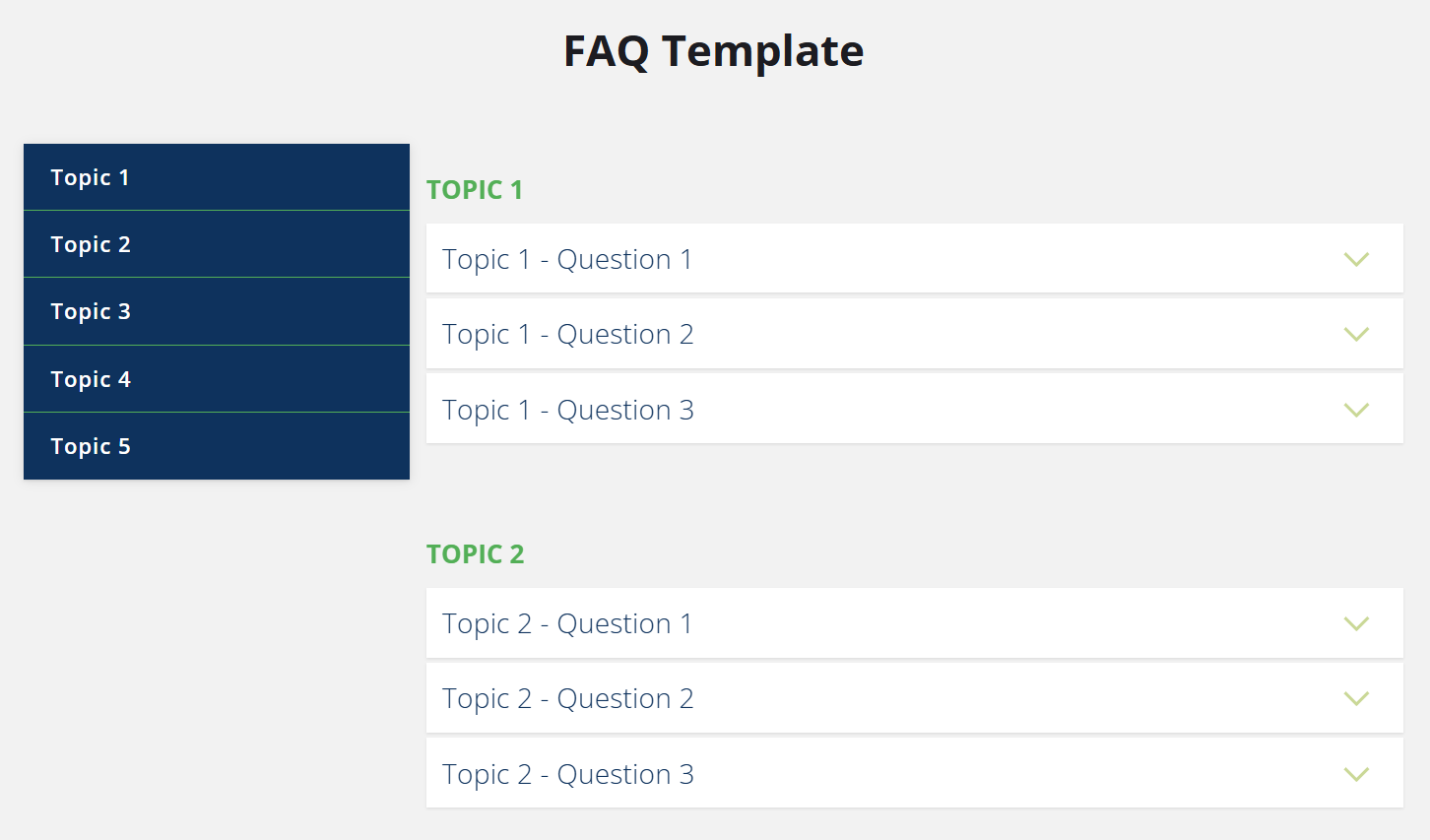
An interactive FAQ system is a modern component perfect for informative websites, educational platforms, or web projects that require quick and well-organized answers. Using semantic HTML structure, responsive CSS styling, and animated JavaScript logic, you can craft a smooth and intuitive experience for your users.
HTML Structure
The markup consists of two main sections:
.faq-categories– a sidebar menu linking to each topic.faq-items– a panel containing grouped questions and answers
Each question is defined inside and the answer content appears in .faq-response, which wraps a uniform .text-block for consistent layout and formatting.
CSS Design & Responsive Behavior
- Adaptable layout using
@mediaqueries for mobile and desktop - Slide-in animation for FAQ panel on mobile via
.faq-items--slide-in - Dark overlay activated by
.faq-overlay--is-visibleon small screens - Hover and focus styling for sidebar links with
.faq-category - Mobile close button using
.faq-close-itemstyled with pseudo-elements
On desktop, all topic groups appear statically. On mobile, interactions are animated with CSS transforms and an overlay-based interface.
JavaScript Explained Step by Step
The JavaScript powering this FAQ system is self-invoked and modular, structured into two main components:
- FAQ – an object with utility functions
- FAQComponent – a constructor managing all interactions
Utility Functions: Class Control & Animation
FAQ.hasClass()– checks if an element has a specific classFAQ.addClass()/removeClass()– adds or removes one or more classes from an elementFAQ.toggleClass()– toggles class based on a boolean condition
These helpers simplify DOM manipulation and visual state control throughout the interaction flow.
Height Animation: FAQ.setHeight()
- Animates an element's height smoothly using
requestAnimationFrame - Used when expanding or collapsing answer blocks upon question click
Animated Scrolling: FAQ.scrollTo()
On desktop, clicking a category smoothly scrolls the page to the corresponding topic group:
- It starts from
window.scrollYordocument.documentElement.scrollTop - Applies a natural transition curve via
Math.easeInOutQuad() - Supports a custom duration (default: 200ms)
Device Detection: getMode()
This function checks whether the FAQ system is rendered on desktop or mobile:
- Uses
getComputedStyle()to read the::beforepseudo-element - Returns
'mobile'or'desktop'depending on layout - Determines how interactions behave (slide-in or scroll)
Component Constructor: FAQComponent & Initialization
FAQComponent orchestrates everything:
- Defines all key elements: questions, answers, overlay, container, links
init()sets up event listeners for category clicks, question toggles, closing, and scrollingclosePanel()hides the mobile panel and background overlay
Scroll Tracking Behavior
On desktop, the script continuously updates the active category based on scroll position:
- Checks which
.faq-groupis currently in the viewport - Applies
.faq-category-selectedon the related menu link - Defaults to the first category if no group is active
Extensibility & Customization
- Easily integrated into CMS platforms or UI libraries
- Modular CSS styling ready for theming (light/dark)
- Expandable with live search, filtering, or animations
- JavaScript logic can be ported to ES Modules or TypeScript for larger applications
Its flexibility makes this system suitable for scalable web projects and reusable components across multiple pages or frameworks.
Conclusion
This FAQ system showcases how to build an elegant and responsive web component using pure HTML, CSS and vanilla JavaScript. Its semantic structure, modular styling, and smooth interactivity deliver a professional experience without relying on external libraries. Download the archive





Be the first to comment!